AI guidelines
These AI guidelines ensure that AI in our products enhance usability, respect user privacy, and maintain trust. Not only that, they are designed to give AI instances in HUB24 group products a visually and behaviourally distinct identity.
By embedding these principles into our design system, we create consistent, responsible, and human-focused experiences that empower users while leveraging the full potential of AI. As artificial intelligence becomes a core part of digital experiences, it’s important to use AI responsibly, thoughtfully, and in ways that truly help people.
Helpful first
AI should solve a real problem and address user needs. It may be enhancing an existing feature with AI capability or drive new initiatives.
AI visual language
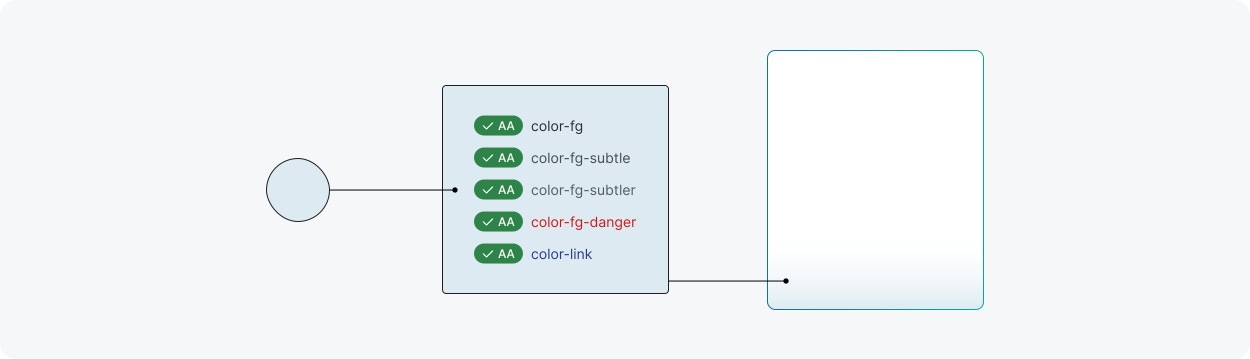
The AI visual language is an extension of the core design library principles to make AI content distinctive for users. Our aim is to strike a balance of integrating AI into our UI that is clear but not disruptive to existing experience.
To accommodate for these AI styles, specific design tokens have been defined for this purpose. When building custom AI component variants, these AI design tokens help our visual language stay consistent with styling. For a full list of AI tokens, go to design tokens.
AI background
Apply vibrant gradient fill sparingly on smaller elements when AI content or feature needs to stand out.
AI background subtle
Apply subtle gradient backgrounds when AI content or features need to be highlighted for larger surface areas or smaller elements without standing out too much.
AI border
Apply gradient borders when AI content or features need to be highlighted with clear boundaries. This is normally used in conjunction with AI background subtle to demonstrate AI presence in the same context.
AI overlay
Apply overlay colour when components such as dialog require a backdrop.

AI badge
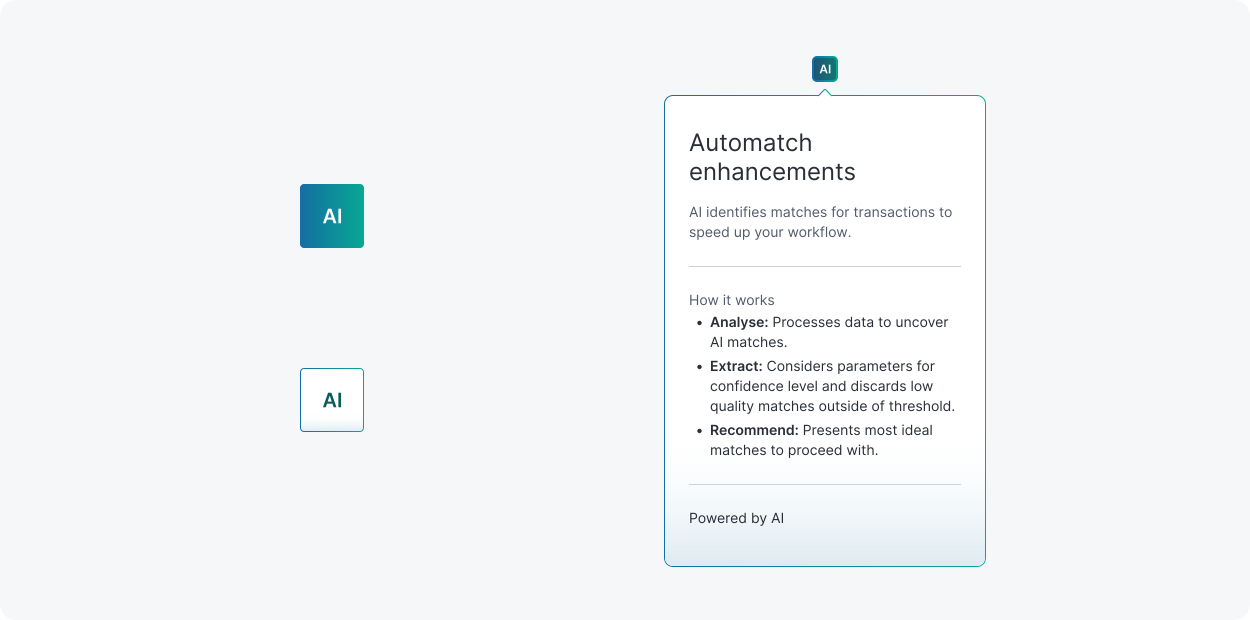
Shifting away from typical icons, we’ve defined an AI badge following AI visual language which is memorable and accessible. AI badges come in two variants of outline and solid, and covers a range of scales for different contexts. They can be used as standalone elements on pages or nested in components.
The AI badge is the primary indicator used to call out AI content and reinforce transparency. It can act as a static indicator or as a trigger for explainability paired with a popover to provide more detail.
For more information about using the AI badge, see the AI badge component page.
AI explainability
Explainability refers to the practice that helps humans understand the decisions made by AI systems. Instead of just giving a result, an explainable model also shows the reasoning or factors behind that result. People should never feel confused or tricked by AI. If you can’t explain what the AI is doing in a few simple sentences then it may be too complex for users.
Here are some ways to ensure clarity and keep it explainable:
- Show how the AI reached a decision and why it made that certain decision. Use plain language and avoid technical or vague terms.
- Offer controls so users can adjust preferences or turn off AI features.
- Make it visible when something is AI-powered. Use the AI visual language and AI badge to indicate the AI content and achieve consistency.
AI components
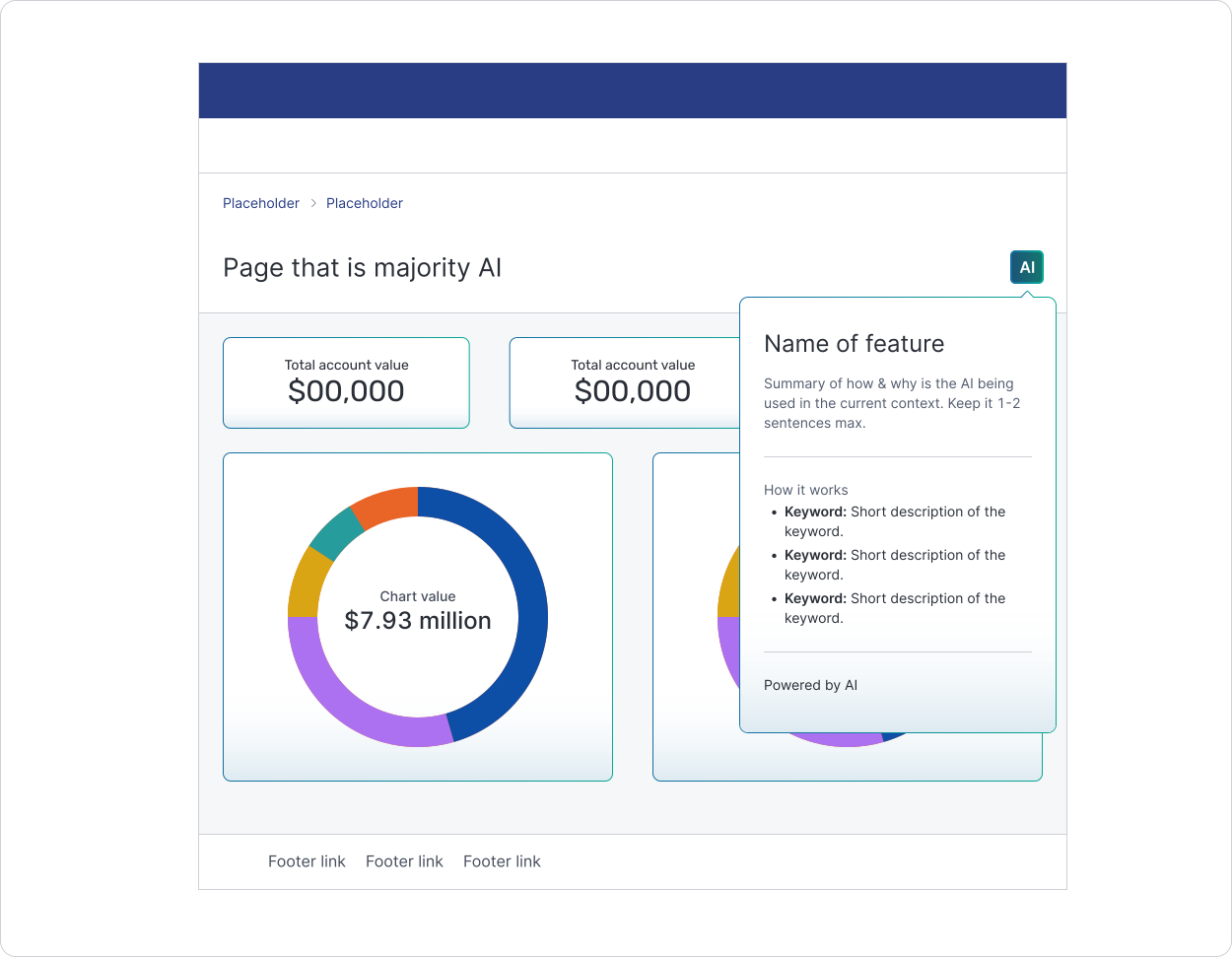
Components with an AI presence are styled using AI visual language. The treatment of AI visual language can be depicted as a layer that sits on top of our existing default components which behaves like a toggle. The same AI visual language will be applicable across all brands under Hub24 Group.
Each AI component ideally should have an embedded AI badge and explainability popover when available. Multiple AI components in a single view are designed to work harmoniously together.
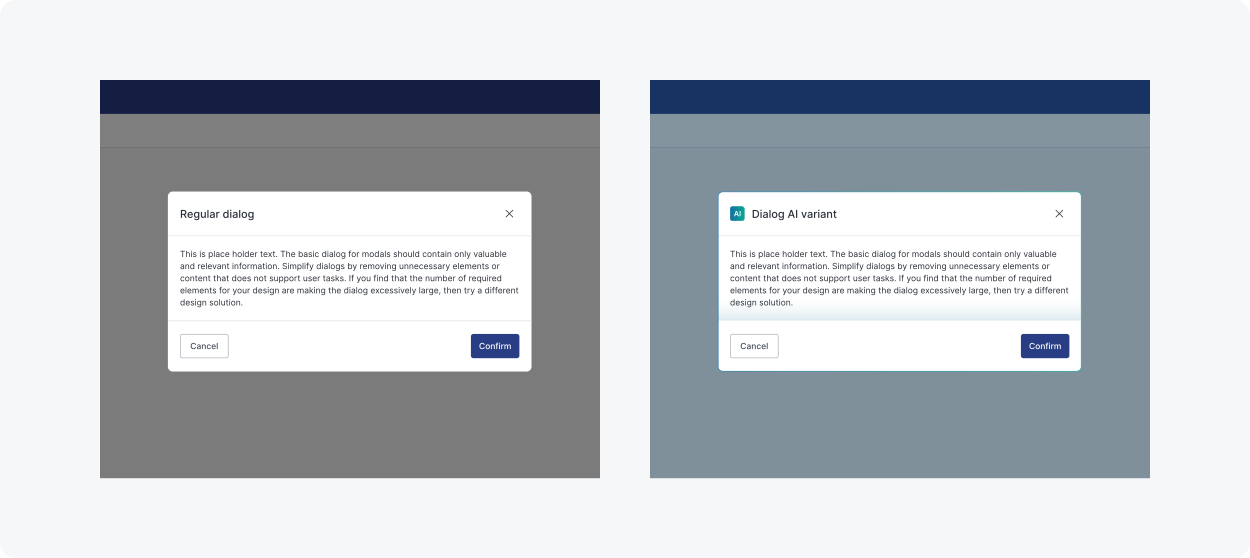
The following components in our design system have an available AI variant. This is not a definitive list and will continue to grow based on needs and priorities.
- Button
- Dialog
When to use
Whenever AI outcomes need to be delivered to users, the fundamental interaction models to consider are user-initiated patterns and system-initiated patterns. These patterns define how users and AI systems engage with each other. Successful AI experiences can also be created by blending both patterns together.
User-initiated patterns
The user starts the interaction and the AI system responds only after the user provides input, takes an action, or requests assistance.
System-Initiated patterns
The AI system takes the first step, often proactively surfacing insights, recommendations, or actions without explicit user input.
| Pattern | Scenario |
|---|---|
| User-initiated AI with custom input |
1. User needs to activate the AI function. 2. User tells AI what to do based on available configurations. 3. AI provides the result. 4. User uses the result. |
| User-initiated AI with automatic output |
1. User activates the AI function. 2. AI provides the result. 3. User uses the result. |
| AI-driven automation |
1. User activates the AI function. 2. User defines parameters and rules for automation. 3. AI automatically performs actions based on the set conditions. 4. User reviews result adn adjusts if needed. 5. User uses the result. |
| Proactive AI recommendations | 1. AI offers contextual recommendations over content. 2. User uses the result. |
| AI guided experiences |
1. AI initiates a structured interaction as contextual assistance. 2. User uses the result or completes interaction. |
| Behavioural AI insights |
1. AI surfaces key moments, trends or anomalies in data. 2. User reviews the results. 3. User takes action if necessary. |
| Conversational AI interface |
1. User engages with AI through a conversational interface. 2. User asks questions or gives tasks. 3. AI processes and provides a response to the user input. 4. User uses the result. |
| AI-driven search |
1. User activates AI search. 2. User enters keywords or criteria. 3. AI searches and analyses the database/content to find matches. 4. AI returns relevant results with contextual recommendations. 5. User uses the results. |
Accessibility
Designing AI experiences for accessibility strongly ties in with transparency to build user trust. One of the guiding principles is to clearly mark where AI is used and provide explainability whenever possible. AI badge and AI components use AI visual language which has been tested to pass accessibility standards to ensure there is enough contrast with UI content.